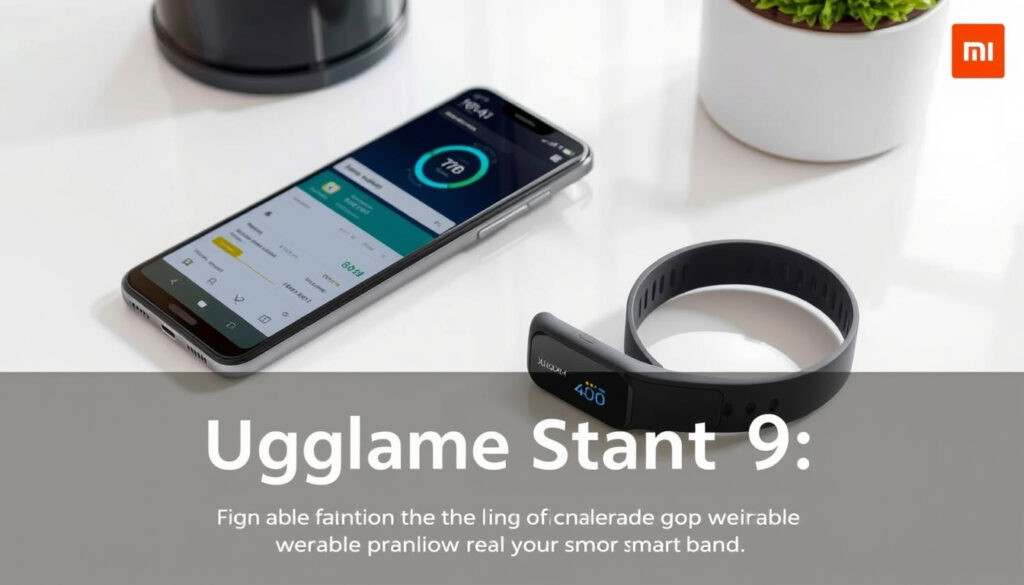
Xiaomi Smart Band 9: Setup, Features, Active vs Band 8
Anyone who has bought an import gadget knows the feeling: the box arrives, the manual is in Chinese, and the settings menu keeps its secrets. The Xiaomi Smart Band 9 delivers flagship-style hardware for pocket money, yet the English language option sits in the binding step, not in the phone’s own settings, per Xiaomi Global Support (official FAQ). Setup, the language fix, and the honest differences between the standard Band 9 and the budget Active variant all come down to a few decisions — which model, which app, and which menu to trust.
Display: 1.62-inch AMOLED ·
Peak brightness: 1200 nits ·
Activity tracking: Workouts, sleep, heart rate ·
Smartphone integration: Yes
Quick snapshot
- The standard Band 9 packs a 1.62-inch AMOLED display with 1200 nits of peak brightness (Xiaomi Global Support (official FAQ)).
- The Active runs a 1.47-inch TFT display, a 300 mAh battery, and lasts up to 18 days on a charge (Xiaomi Global (official Active specs)).
- The Band 9 supports Simplified Chinese, Traditional Chinese, and English — chosen manually at binding (Xiaomi Global Support (official FAQ)).
- NFC on the standard Band 9 or the Active: no confirmation in the pages reviewed (Xiaomi Global Support official FAQ). (Xiaomi’s official Active specs)
- Built-in GPS on the Active: not listed on Xiaomi’s official Active specs.
- Call answering on the Active: absent from GSMArena (specialist review)‘s feature rundown.
- The Band 9 is the current standard model, the slot the Band 8 held before it (Xiaomi Global Support (official FAQ)).
- The Active arrived as the budget entry of the same generation (Xiaomi Global (official Active specs)).
Nine headline numbers, one pattern: Xiaomi puts the display money into the standard Band 9 and the battery money into the Active.
| Attribute | Value |
|---|---|
| Display | 1.62-inch AMOLED |
| Peak brightness | 1200 nits |
| Activity tracking | Workouts, sleep, heart rate |
| Smartphone integration | Yes |
| Variants covered | Standard, Active, Band 8 |
| Active display | 1.47-inch TFT (172 × 320, 247 ppi) |
| Active battery | 300 mAh, up to 18 days typical |
| Active water resistance | 5 ATM |
| Active connectivity | Bluetooth 5.3 BLE |
The takeaway: the standard Band 9 is a screen-first device, while the Active is a battery-first device — choose accordingly.
How do I set up the Xiaomi Smart Band 9?
Both the standard Band 9 and the Active use the same companion app and the same Bluetooth handshake. The part most people miss happens inside the app: choosing the band’s language in the binding interface, which Xiaomi says is a manual step rather than something copied automatically from your phone (Xiaomi Global Support (official FAQ)).
- Charge the band fully before the first pairing session.
- Install the Mi Fitness app and enable Bluetooth on the phone.
- Open the app, tap Add Device, and select the band from the scan list.
- Confirm the pairing prompt on the band and the phone.
- Set the language to English in the binding interface before you finish setup.
- Let the app finish any firmware sync, then check the device settings for the language option.
The setup flow for the Active is identical — Xiaomi treats it as the same companion-app experience, down to the Bluetooth profile (Bluetooth 5.3 BLE on the Active, per Xiaomi Indonesia (official spec page)).
How do I connect the Xiaomi Smart Band 9 Active to my phone?
- Charge the Active until the screen responds — a drained band won’t enter pairing mode.
- Open Mi Fitness, confirm Bluetooth is on, and tap Add Device.
- Keep the band near the phone during pairing and confirm the on-screen prompt.
- If the band stays in Chinese after pairing, the language step is still waiting in the app’s device settings.
The connection step is also your language window: Xiaomi’s FAQ describes the language choice as part of the binding interface, so selecting English while pairing saves you from the reset procedure later.
How do I use the Xiaomi Smart Band 9 Active?
- Tracking suite: heart-rate monitoring, blood-oxygen monitoring, sleep tracking, stress monitoring, notifications, phone finding, weather, music and camera controls, alarms, stopwatch, compass, barometer, and flashlight (GSMArena (specialist review)).
- Display: 1.47-inch TFT at 60 Hz, a 172 × 320 panel that favors battery life over pixel density (Xiaomi UAE (regional product page)).
The pattern: Xiaomi funnels every Band 9 model through the same Mi Fitness flow, so the setup risk is never the pairing — it’s skipping the language step while you’re already in the app. For import buyers, that first five minutes decides whether the band speaks English or stays locked to Chinese.
How do I change the language on the Xiaomi Smart Band 9?
Xiaomi’s official FAQ is unusually direct here: the Band 9’s system language supports Simplified Chinese, Traditional Chinese, and English, and it is selected manually in the binding interface rather than synced from the phone’s system language (Xiaomi Global Support (official FAQ)). That means changing your iPhone or Android phone to English will not, by itself, change the band.
How do I change the Xiaomi language from Chinese to English?
- Open the Mi Fitness app and go to the device profile for your band.
- Find the Language option — a third-party setup guide reports that language selection for supported Xiaomi bands lives in the app’s device profile and language setting, not on the band itself (MiBand.org (third-party setup guide)).
- Select English and wait for the app to push the change to the band.
- If the option never appears, re-pair the band; the language picker may show up again during the binding process.
- As a last resort, reset the band — the same guide warns that resetting can expose the language selection during restart, but it erases your settings (MiBand.org (third-party setup guide)).
The exact menu wording varies by firmware version, so the buttons may read slightly differently on your unit.
Resetting the band may restore the language picker on restart, but it wipes your settings. The cheaper fix is to re-pair — that puts you back inside the binding interface where Xiaomi’s manual language selection lives, without the data loss.
The takeaway: this is an import-device quirk, not a bug. Xiaomi deliberately ties the language choice to the binding step, so anyone who skipped it on day one is re-pairing or resetting to get English back.
What can the Xiaomi Band 9 do?
The standard Band 9’s headline number is its screen: a 1.62-inch AMOLED panel rated at 1200 nits of peak brightness, surrounded by the usual fitness-band package — workout analysis, sleep monitoring, heart-rate tracking, and smartphone notifications (Xiaomi Global Support (official FAQ)).
- Workout analysis
- Sleep monitoring with overnight heart-rate data
- Heart-rate tracking during workouts and at rest
- Smartphone integration: notifications and alerts mirrored from your phone
None of that is exotic for a modern band — the display is the differentiator. A 1200-nit AMOLED stays readable in direct sunlight, which is the first thing you’ll notice after a week of use. If your goal is weight loss, the sleep and activity data this band collects pairs well with our science-based weight-loss guide.
Is the Xiaomi Band 9 waterproof?
- Standard Band 9: the official pages reviewed for this guide don’t state a water-resistance rating — check the box and your regional listing before assuming anything.
- Active: rated 5 ATM, which Xiaomi Indonesia’s support FAQ says is fine for shallow-water swimming but not hot showers, diving, hot springs, saunas, or high-speed water sports (Xiaomi Indonesia Support (official FAQ)).
For swimmers, the Active’s 5 ATM is the rare confirmed spec in this lineup. For everyone else, the standard model’s silence on water resistance is a genuine unknown, not a marketing gap.
Does the Xiaomi Smart Band 9 have NFC?
NFC is the one spec that none of the reviewed sources confirm. Xiaomi’s global FAQ doesn’t mention it for the standard Band 9, the Active’s official spec page doesn’t list it, and GSMArena’s review doesn’t test it. Treat NFC as a per-market feature and check your regional spec page before ordering.
The trade-off: Xiaomi confirms the Active’s water rating but stays silent on NFC for both models, so the “does it have NFC” question becomes a per-listing check rather than a spec-sheet answer.
What are the features of the Xiaomi Smart Band 9 Active?
The Active is not the Band 9 with a different strap — it is a separate product with a smaller screen and a bigger battery. Xiaomi’s global spec sheet lists a 1.47-inch TFT display (172 × 320 pixels at 247 ppi), a 300 mAh battery with magnetic charging, up to 18 days of typical battery life, and a 5 ATM water-resistance rating (Xiaomi Global (official Active specs)).
Battery life is the Active’s reason to exist. Xiaomi’s regional page claims a 29 percent battery-life gain over the previous generation, confirms a 60 Hz refresh rate, and lists 50 sports modes (Xiaomi UAE (regional product page)). For a budget band, battery life beats pixel count.
That 18-day figure changes the daily habit: you charge the Active a couple of times a month instead of every night, and the smaller screen stops feeling like a compromise.
Can you answer calls on Xiaomi Smart Band 9 Active?
- Call answering on the band: not confirmed in any of the official pages or the specialist review reviewed here.
- What is confirmed: notifications for calls and apps, phone finding, and music controls (GSMArena (specialist review)).
So you will see who is calling; call handling itself is not confirmed on the Active in the sources available.
Does Xiaomi Smart Band 9 Active have GPS?
- Built-in GPS: not listed on Xiaomi’s official Active spec page (Xiaomi Global (official Active specs)).
- Connected GPS via the phone: a likely fallback for this class of band, but not confirmed in the reviewed sources.
If outdoor run pace matters to you, this is the spec to verify on your local listing before purchase — with phone-connected GPS, the phone has to come along.
How accurate is the Xiaomi Smart Band 9 Active?
- Official sensor list: a PPG sensor, an accelerometer, and an ERM vibration motor (Xiaomi Global (official Active specs)).
- Independent review list: GSMArena also mentions a barometer and an SpO2 sensor, which do not appear on Xiaomi’s official list — an unresolved discrepancy worth checking on your own unit (GSMArena (specialist review)).
- Accuracy percentages: none published in the reviewed sources; treat vendor percentages as marketing until you test them.
The picture that emerges: the Active is a notification-and-activity companion optimized for battery life, not a sensor laboratory. Its confirmed strengths — battery, 5 ATM water resistance, Bluetooth 5.3 — outrank its unconfirmed extras.
What is the difference between the Xiaomi Smart Band 9 and Active?
The short version: the standard Band 9 gets the better display; the Active gets the better battery and the confirmed water rating. Xiaomi positions the Active as the budget entry of the Band 9 generation, alongside the standard model’s 1.62-inch AMOLED (Xiaomi Global Support (official FAQ)).
Which model is right for me: Xiaomi Smart Band 9 or Active?
- Choose the standard Band 9 if screen quality matters most — the 1.62-inch AMOLED at 1200 nits is the better panel in daylight.
- Choose the Active if battery life and a confirmed 5 ATM water rating matter more, and you can live with the smaller TFT.
- Verify NFC, GPS, and call support on your local listing for whichever model you pick — the reviewed sources confirm none of those for either model.
That decision matrix assumes the Active actually undercuts the standard model on price, and there the sources go quiet: Xiaomi positions the Active as the budget entry, but exact pricing and retail availability vary by market and weren’t confirmed in the pages reviewed. The pattern: Xiaomi split the difference cleanly — screen on one model, battery on the other — and buyers who want both will find the choice harder than the marketing suggests.
Which is better, the Xiaomi Smart Band 8 or 9?
The Band 9 is the successor to the Band 8, and the generational jump is mostly about the screen: the Band 9’s 1.62-inch AMOLED at 1200 nits is the headline hardware change (Xiaomi Global Support (official FAQ)).
Should I upgrade from the Xiaomi Smart Band 8 to the Smart Band 9?
- Upgrade if you read the display outdoors often — 1200 nits of peak brightness is the feature you notice every day.
- Stay on the Band 8 if your current band still tracks workouts, sleep, and notifications reliably; the core tracking package hasn’t changed dramatically.
- Check whether the Band 9’s NFC (where available) adds contactless payments in your region — if it does, that alone can justify the upgrade for commuters.
- If the price gap is small, the newer model wins on display alone.
The official pages reviewed for this guide confirm the Band 9’s display and positioning but don’t publish a side-by-side Band 8 spec sheet, so the practical read is simple: Band 8 owners gain a brighter display, the tracking core stays familiar, and the Band 9 becomes a sensible upgrade for display-driven buyers — and a wait for everyone else. For another side-by-side product test in the same format, see our beard trimmer comparison for New Zealand.
Seven product differences, one pattern: Xiaomi confirms the Active’s display, battery, and water resistance, while GPS, NFC, and call support stay unconfirmed for both models in the pages reviewed (Xiaomi Global (official Active specs)).
| Feature | Xiaomi Smart Band 9 | Xiaomi Smart Band 9 Active |
|---|---|---|
| Display | 1.62-inch AMOLED (1200 nits) | 1.47-inch TFT (172 × 320, 247 ppi) |
| Built-in GPS | Unconfirmed | Unconfirmed |
| NFC | Unconfirmed | Unconfirmed |
| Call answering | Unconfirmed | Unconfirmed |
| Water resistance | Unconfirmed in pages reviewed | 5 ATM |
| Battery | Not stated in pages reviewed | 300 mAh; up to 18 days typical |
| Positioning | Standard current model | Budget entry of the same generation |
Read that table the way a retailer would: the Active’s confirmed specs are battery and water resistance; the standard Band 9’s confirmed specs are display and brightness. Every other column is a question mark until your local listing says otherwise.
Twelve raw figures from Xiaomi’s official Active spec sheet (Xiaomi Global (official Active specs)), one pattern: the Active is engineered around battery life and durability, not display showmanship.
| Specification | Xiaomi Smart Band 9 Active |
|---|---|
| Display | 1.47-inch TFT |
| Resolution | 172 × 320 pixels (247 ppi) |
| Refresh rate | 60 Hz |
| Dimensions | 45.9 × 26.94 × 9.99 mm |
| Weight (without strap) | 16.5 g |
| Battery | 300 mAh |
| Charging | Magnetic |
| Typical battery life | Up to 18 days |
| Water resistance | 5 ATM |
| Sensors (official) | PPG, accelerometer, ERM motor |
| Bluetooth | 5.3 BLE |
| Sports modes | 50 |
For a budget band, the Active’s spec sheet reads like a battery-first design: an efficient TFT panel, a big cell, and magnetic charging — the components that matter at this price.
Every wearable is a list of trade-offs, and the Band 9 lineup is no different. The confirmed strengths and the silent gaps below are the two columns that matter.
Upsides
- Standard Band 9: bright 1.62-inch AMOLED with 1200 nits peak brightness (Xiaomi Global Support (official FAQ))
- Active: confirmed 5 ATM water resistance with clear swimming guidance (Xiaomi Indonesia Support (official FAQ))
- Active: up to 18 days of typical battery life and magnetic charging (Xiaomi Global (official Active specs))
Downsides
- NFC, built-in GPS, and call answering are unconfirmed on both models in the reviewed pages
- Language selection is locked to the binding interface; resetting the band erases settings (MiBand.org (third-party setup guide))
- The Active’s sensor roster is disputed: GSMArena lists barometer and SpO2, Xiaomi’s official page doesn’t (GSMArena (specialist review))
The trade-off: the Active’s confirmed good news is battery and water resistance; everything else is a verification task, not a feature list.
Confirmed facts and what’s still unclear
Working from Xiaomi’s official pages, a specialist review, and one third-party setup guide, the split is roughly even — the honest shape of a low-confidence research profile.
What the sources confirm
- Band 9 system languages: Simplified Chinese, Traditional Chinese, English (Xiaomi Global Support (official FAQ))
- Language is chosen manually during binding, not copied from the phone (Xiaomi Global Support (official FAQ))
- Standard Band 9 display: 1.62-inch AMOLED at 1200 nits (Xiaomi Global Support (official FAQ))
- Active battery and charging: 300 mAh, magnetic, up to 18 days (Xiaomi Global (official Active specs))
- Active water resistance: 5 ATM (Xiaomi Global (official Active specs))
- Active connectivity: Bluetooth 5.3 BLE (Xiaomi Indonesia (official spec page))
What remains unconfirmed
- NFC support on either model — no official confirmation in the pages reviewed
- Built-in GPS on the Active — not listed on Xiaomi’s official spec page
- Call answering on the Active — absent from the specialist review’s feature list (GSMArena (specialist review))
- Standard Band 9 water-resistance rating — not stated in the pages reviewed
- Active sensor roster — GSMArena says barometer and SpO2; Xiaomi’s official page doesn’t (GSMArena (specialist review))
- Accuracy figures for heart rate, sleep, and steps — no published numbers in the reviewed sources
- Active price and retail availability — varies by market; not confirmed here
The practical effect: buyers should treat the confirmed column as the sales pitch and the unclear column as the fine print.
In their own words
“The Xiaomi Smart Band 9 features a 1.62-inch AMOLED retina-grade full-color display.”
Xiaomi Global Support (official FAQ)
“Heart-rate monitoring, blood-oxygen monitoring, sleep tracking, stress monitoring, notifications, phone finding, weather, music and camera controls, alarms, stopwatch, compass, barometer, and flashlight.”
GSMArena (specialist review)
“Suitable for shallow-water swimming, but not hot showers, diving, hot springs, saunas, or high-speed water sports.”
The common thread: Xiaomi talks about the Active in terms of durability and battery, while reviewers talk about it in terms of features per dollar — two framings that lead to different buying decisions.
Final verdict
The Xiaomi Smart Band 9 is exactly what its spec sheet says it is: a bright, light fitness band with strong core tracking — and the Active is the budget entry that swaps screen quality for battery life and a confirmed 5 ATM rating. The traps are the ones Xiaomi doesn’t put in the marketing: the language choice lives in the binding step, NFC and GPS are unconfirmed on both models, and the Active’s sensor list depends on which official page you read. For import buyers in New Zealand and other markets where these bands arrive as grey imports, the decision is clear: set English during the first pairing, verify your local listing’s NFC and GPS before checkout, or accept the Active’s unknowns as the real tax on its lower price.
Frequently asked questions
What app do I need for the Xiaomi Smart Band 9 Active?
The Mi Fitness companion app — the same app used for the standard Band 9. Xiaomi routes both models through the same setup flow.
How much does the Xiaomi Smart Band 9 Active cost?
Not confirmed in the sources reviewed for this guide. Xiaomi’s pricing varies by region; check Xiaomi’s official store or an authorized retailer for the current local price.
Where can I buy the Xiaomi Smart Band 9 Active online?
Xiaomi’s official site and authorized retail partners are the safe routes. This guide did not verify any specific retailer listings.
Can I replace the strap on the Xiaomi Smart Band 9?
The official pages reviewed for this guide don’t mention strap replacement. Check the documentation included with your band or ask Xiaomi support for your specific model.
Is the Xiaomi Smart Band 9 Pro a separate model from the Active?
The sources reviewed cover the standard Band 9 and the Band 9 Active, and the Active is a distinct, confirmed model. A Pro variant was not part of any page reviewed here, so if a Pro appears in your market, verify it directly with Xiaomi.
How do I check whether my Band 9 model supports NFC?
Open Xiaomi’s official spec page for your exact regional model. NFC is model- and market-dependent, and none of the pages reviewed confirmed it for the standard Band 9 or the Active.
What does the 5 ATM rating mean on the Active?
Per Xiaomi Indonesia’s official FAQ, the Active is suitable for shallow-water swimming but not for hot showers, diving, hot springs, saunas, or high-speed water sports.
Does the Active need the phone nearby for GPS?
The pages reviewed don’t confirm built-in GPS on the Active, so plan on keeping the phone nearby if you want location tracking. Confirm your local model’s spec page before buying if GPS matters to you.
More related posts
 House for Sale Papatoetoe: Complete Buyer’s Guide 2025
 Galaxy S8 to Buy – Prices and Value in 2024
 Salt Gun for Flies: Do They Work? UK Legality, Range, Worth
 Flight from Wellington to Auckland: Time & Cost
 Tomorrow’s Weather Forecast for Bangkok & Thailand
 Baby on the Move Grey Lynn: Car Seat Hire for Taxis & Uber NZ
 Hawke’s Bay Hospital Lockdown: What Happened on July 23, 2025
 Harbourside Ocean Bar Grill Closing: End of an Era
