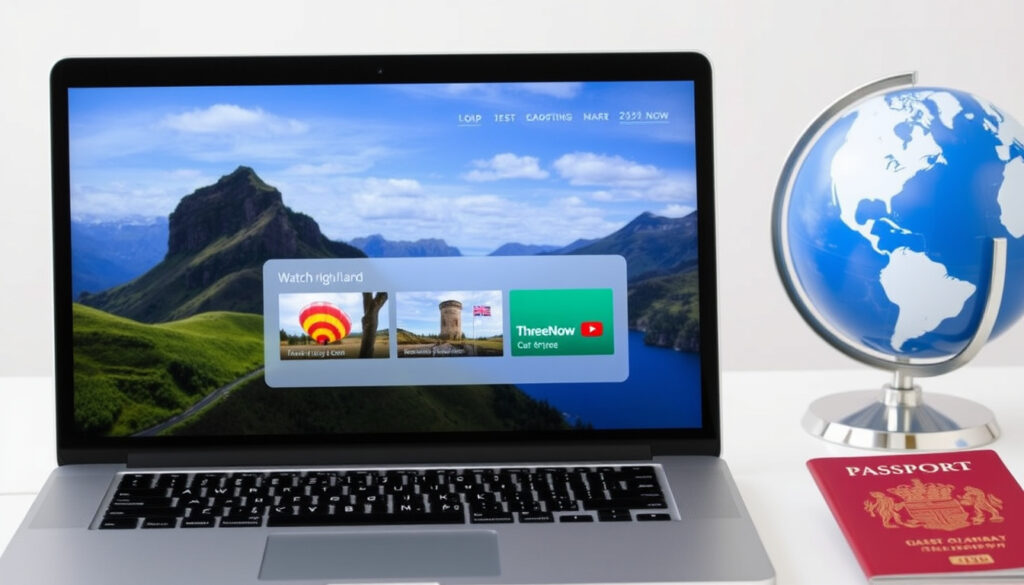
TV3 on Demand NZ: Watch ThreeNow Online Abroad (2025 Guide)
If you’ve ever tried to catch up on your favourite Three show from outside New Zealand, you’ve probably hit a wall. TV3 On Demand—now known as ThreeNow—offers thousands of hours of free, ad-supported content, but only if you’re inside the country. This guide explains how to access it, what to do when it doesn’t work, and whether you can legally use a VPN to watch from abroad.
Service name: ThreeNow (formerly TV3 On Demand) ·
Price: Free (ad-supported) ·
Content catalog: Thousands of hours of TV shows, movies, news, and live TV ·
Available devices: Web, iOS, Android, Smart TVs, Chromecast, Apple TV ·
Regional availability: New Zealand (with geo-blocking)
Quick snapshot
- Visit threenow.co.nz (official site)
- Download app from Apple App Store or Google Play
- No account required for most content; account creation provides extra features (threenow.co.nz)
- Available on iOS, Android, smart TVs, Apple TV, Chromecast (threenow.co.nz)
- Geo-blocked to New Zealand (Getflix)
- Use a VPN connected to a NZ server (Comparitech)
- Smart DNS alternative available (Getflix)
- Browser may avoid device-level location conflicts (Comparitech)
- Check internet speed and connection (ThreeNow Help Center)
- Update app to latest version (ThreeNow Help Center)
- Clear cache and cookies; reinstall app if needed (ThreeNow Help Center)
- Contact ThreeNow Help Center for official support
Seven key attributes, one pattern: ThreeNow is a free, geo-restricted streaming service that’s evolved through multiple brand changes and ownership shifts, but its core offer—free ad-supported NZ TV—has stayed remarkably consistent.
| Attribute | Details |
|---|---|
| Launch date | 2016 (as 3Now, then ThreeNow) – earlier TV3 On Demand launched 2011 |
| Parent company | Sky Network Television (since 2023) (Wikipedia) |
| Content library | Thousands of hours, including live TV from Three, Bravo, Sky Open, Rush, Eden, HGTV (Wikipedia) |
| Cost | Free (ad-supported) (Wikipedia) |
| Devices | Web, iOS, Android, Smart TVs, Apple TV, Chromecast (ThreeNow official site) |
| Geo-restriction | New Zealand only (Getflix) |
| Legal VPN use | Legal in NZ, but may breach terms of service (Comparitech) |
How do I access TV3 on-demand?
What is the difference between TV3 On Demand and ThreeNow?
- TV3 On Demand launched in 2011; rebranded to 3Now in 2016, then ThreeNow in 2020 (Wikipedia)
- The service is identical—same content, platform, and free model—only the name changed (ThreeNow official site)
- ThreeNow is owned by Sky Network Television, acquired in 2023 (Wikipedia)
The implication: If you were using TV3 On Demand before, you’re already using ThreeNow. The shift was purely a branding update—all old functionality remains.
How to sign up for ThreeNow?
- Go to threenow.co.nz – no account needed for basic viewing (ThreeNow official site)
- For extra features (like resuming across devices), create a free account with email or social login
- Download the app from Apple App Store or Google Play for mobile devices
- On smart TVs, search “ThreeNow” in the app store and install
- Sign in and start watching—no payment required
You don’t need an account at all unless you want to sync watch progress across devices. That’s rare among free streaming services and a genuine convenience.
What this means: ThreeNow is as low-friction as free streaming gets—no credit card, no trial period, just a few clicks.
Can I watch ThreeNow abroad?
ThreeNow uses geo-blocking to restrict access to New Zealand IP addresses. If you try to load the site from overseas, you’ll see a message that the service is unavailable in your region (Getflix). Two workarounds exist: a VPN or Smart DNS.
How to use a VPN to watch ThreeNow overseas
- Subscribe to a VPN that offers New Zealand servers (Comparitech, a VPN and privacy research site)
- Install the VPN app on your device and connect to a NZ server
- Open a browser (rather than the app) to avoid device-level location detection (Comparitech)
- Visit threenow.co.nz – if it doesn’t load, switch to a different NZ server (Comparitech)
- Sign out and back into a free ThreeNow account after connecting to a valid NZ IP (Comparitech)
- Restart your device if you recently installed or updated the VPN (Comparitech)
ThreeNow’s app checks device GPS and network location, which can reveal your true location even with a VPN. Browsers bypass this because they lack hardware-level location access.
Which VPNs work with ThreeNow?
No single VPN is guaranteed to work indefinitely, because ThreeNow actively blocks known VPN server IPs. However, VPN services that regularly refresh their NZ server pool tend to be more reliable. Setting up Smart DNS via services like Getflix can also work by routing only traffic meant for ThreeNow through a NZ-based DNS server (Getflix).
The pattern: There is no “best VPN for ThreeNow” that stays best. The key is choosing a provider with many NZ servers and good support, then being prepared to switch servers or protocol if blocked.
Why won’t TV3 on-demand not working?
If ThreeNow won’t stream, the problem is usually one of four things: your internet connection, the app version, device compatibility, or a server outage. Here’s how to fix each.
Common technical issues with ThreeNow
- Connection problems: Check your internet speed – ThreeNow recommends a stable connection of at least 5 Mbps for HD streaming (ThreeNow Help Center)
- Outdated app: Update through the App Store or Google Play
- Device incompatibility: Check supported devices on ThreeNow official site
- Server outage: Check Down Detector or ThreeNow’s social media for reported issues
How to fix ThreeNow buffering or crash
- Clear browser cache and cookies, or clear app data in device settings
- Reinstall the ThreeNow app – uninstall, restart device, then reinstall fresh (Comparitech)
- Change VPN protocol: try WireGuard, OpenVPN, NordLynx, or IKEv2 if using a VPN (Comparitech)
- Reinstall the VPN app itself if it has been installed for a long time and may be outdated (Comparitech)
- Contact ThreeNow Help Center for official troubleshooting support
Most ThreeNow issues are solvable in under 10 minutes. The biggest reported frustration is VPN detection – but that’s a cat-and-mouse game, not a broken service.
The catch: If you’re using a VPN and ThreeNow stops working, don’t blame the app. The VPN server IP has likely been flagged. Switch servers, change protocols, or try a different provider.
Where can I watch New Zealand TV online for free?
ThreeNow isn’t the only free NZ streaming option. TVNZ+ offers a similar ad-supported model with its own library. Here’s how they compare.
ThreeNow vs TVNZ+
| Feature | ThreeNow | TVNZ+ |
|---|---|---|
| Ownership | Sky Network Television (Wikipedia) | Television New Zealand (public broadcaster) |
| Content | Three, Bravo, Sky Open, Rush, Eden, HGTV (Wikipedia) | TVNZ 1, TVNZ 2, Duke, plus on-demand library (TVNZ official site) |
| Geo-blocking | New Zealand only (Getflix) | New Zealand only |
| Account required | No for basic viewing (ThreeNow official site) | Yes, free account needed |
| Live TV | Yes – live streams of Three and other channels | Yes – live streams of TVNZ channels |
Other free NZ streaming services
- Māori Television – free on-demand and live, no account needed (Māori Television)
- Shine TV – Christian and family programming, free with ads
- Prime Video NZ – not free, but offers some NZ content as part of Amazon Prime subscription
What this means: Your choice of free NZ streaming depends on which shows you follow. If you’re a Three regular, ThreeNow is essential. For TVNZ content, TVNZ+ is your only free option. Both require a NZ connection.
Is it legal to use VPN in New Zealand?
This is a common concern for Kiwis abroad and expats wanting home content. The short answer: yes, VPNs themselves are legal in New Zealand, but using one may violate a streaming service’s terms of use.
VPN legality in New Zealand
New Zealand has no law that prohibits using a VPN. The Ministry of Justice and the New Zealand Law Commission treat VPNs as a legitimate privacy tool (New Zealand Ministry of Justice). Using a VPN to access geo-blocked content is not considered copyright infringement in itself, as you are not downloading or sharing copyrighted material illegally.
Does using a VPN violate streaming terms?
ThreeNow’s terms of service likely prohibit circumventing geo-restrictions. While no public enforcement action is known, the practice is at the service’s discretion. Comparitech notes that while legal, it’s a violation of the platform’s terms (Comparitech, a VPN and privacy research site).
VPNs are 100% legal to own and use in NZ. But if ThreeNow catches you bypassing its geo-block, it can terminate your account. The risk is low for casual use, but it exists.
The trade-off: For New Zealanders overseas, the choice is clear: use a VPN and risk breaking terms of service, or miss out on local content.
Timeline signal
- 2011 – TV3 On Demand launched (Wikipedia)
- 2016 – Rebranded to 3Now (Wikipedia)
- 2020 – Rebranded to ThreeNow (Wikipedia)
- 2023 – Acquired by Sky Network Television (Wikipedia)
Why this matters: The frequent rebranding suggests a service in transition. With Sky TV’s deeper resources, expect tighter integration with Sky’s pay-TV ecosystem, possibly more geo-blocking enforcement.
Confirmed facts
- ThreeNow is free and ad-supported (Wikipedia)
- Available on iOS, Android, web, and smart TVs (ThreeNow official site)
- Geo-blocked to New Zealand (Getflix)
- VPNs are legal in New Zealand (New Zealand Ministry of Justice)
What’s unclear
- Exact number of users – ThreeNow does not publicly report viewership
- Future content partnerships – pending Sky TV’s strategy
- Effectiveness of specific VPNs – varies and changes over time (Comparitech)
“ThreeNow is a New Zealand over-the-top ad-supported streaming television service owned by Sky Network Television.”
— Wikipedia (online encyclopedia)
“Watch the latest TV On Demand episodes of all your favourite shows from Three with ThreeNow.”
— ThreeNow official site (service homepage)
For New Zealanders living or traveling overseas, the choice is clear: accept geo-restrictions and miss your local TV, or use a VPN and accept the small risk that ThreeNow may one day enforce its terms. For most, the freedom to watch Three shows abroad—even with occasional VPN wrangling—is worth the trade-off.
facebook.com, youtube.com, vpnranks.com, community.three.co.uk, reddit.com, reddit.com, sv.getflix.com
Frequently asked questions
How do I create a ThreeNow account?
Visit threenow.co.nz, click “Sign Up”, and enter your email or use a social login. No payment details needed.
Does ThreeNow have a parental control feature?
Yes, ThreeNow offers PIN-protected parental controls for age-restricted content. These can be set in account settings.
Can I download shows for offline viewing?
No, ThreeNow does not currently support downloading. You must stream over an internet connection.
What is the video quality of ThreeNow?
Most content streams up to 1080p HD, depending on your internet speed and device.
Is ThreeNow available on Roku?
ThreeNow does not have an official Roku app at this time. Use a supported device like Chromecast or Apple TV.
Does ThreeNow have live news?
Yes, ThreeNow streams live news from Three and often from Newshub. Check the Live TV section.
How do I contact ThreeNow support?
Visit the ThreeNow Help Center for FAQs and to submit a support ticket.
More related posts
 Rainbow Mountain Scenic Reserve: Walk Length, Cost, and Tips
 Wellington Phoenix vs Perth Glory Prediction, Stats & Results
 Best Online Trading Platform NZ 2026: Compare Fees
 Love Island Australia Season 7: Cast, Couples & Watch Online
 How to Change WiFi Password on Router: Step-by-Step
 House for Sale in Napier: Compare NZ & SA Listings
 Pak n Save Wairau: Hours, Specials & Online Shopping
 Best Bank in NZ 2026: Compare Savings, Fees & Safety
