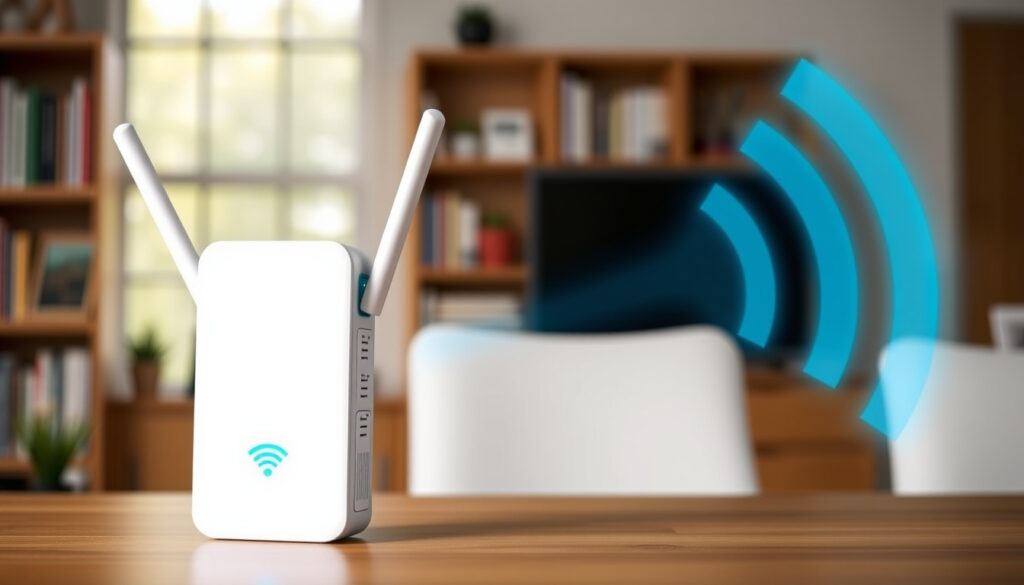
Best WiFi Extender NZ: Top Picks for 2025
Anyone who lives in a typical New Zealand home knows the frustration of a weak WiFi signal—whether you’re in the spare bedroom, the granny flat out back, or the living room with concrete walls. That’s where a WiFi extender comes in, promising to stretch your router’s reach without a full mesh setup. But with so many models and varying opinions on Reddit and from experts, finding the best WiFi extender in NZ for your situation isn’t always straightforward.
Average speed drop with a WiFi extender: up to 50% compared to the router signal ·
Typical range increase from a WiFi extender: 10 to 30 meters indoors ·
Starting price for a basic WiFi extender in NZ: around NZD 30 ·
WiFi 6 extender increase in speed over WiFi 5: up to 40% in ideal conditions
Quick snapshot
- TP-Link RE650 is widely regarded as a top performer in NZ, described as the “king of WiFi repeaters” by MoneyHub NZ (New Zealand consumer finance guide)
- WiFi extenders reduce speed by up to 50% PCMag (tech review outlet)
- PB Tech and Noel Leeming stock TP-Link extenders PB Tech (NZ retail store)
- Best model for concrete walls without a mesh system – performance varies by home layout
- Performance differences between WiFi 5 and WiFi 6 extenders in NZ homes – real-world data limited
- MoneyHub’s WiFi extender guide was last updated July 2026, indicating continued relevance MoneyHub NZ
- PB Tech’s wireless extender category is actively maintained with 2025 listings PB Tech
- Mesh systems are gaining traction for whole-home coverage, but extenders remain a budget-friendly stopgap Reddit r/auckland (community forum)
Here’s a quick overview of the top models available in NZ.
| Top-rated model | TP-Link RE650, rated ‘king of WiFi repeaters’ by MoneyHub NZ |
| Cheapest model | TP-Link RE205 at PB Tech, under NZD 50 |
| WiFi 6 model | TP-Link RE605X, sold at Noel Leeming for about NZD 148 |
| Concrete wall solution | Mesh WiFi system or high-gain extender like RE650 |
| User reviews | Reddit discussion recommends TP-Link extenders for granny flats |
What is the best WiFi extender in NZ?
New Zealand buyers face a simple trade-off: pay under NZD 50 for a basic AC750 extender or spend around NZD 150 for a WiFi 6 model that can handle multiple devices. The right choice depends on your home’s size and internet plan.
Top picks from NZ retailers and reviews
- TP-Link RE650 – Dual-band AC2600, up to 1733Mbps on 5GHz, best range for NZ homes according to MoneyHub NZ (New Zealand consumer finance guide). Available at PB Tech and Noel Leeming.
- TP-Link RE205 – AC750 dual-band, supports AP mode, under NZD 50 at PB Tech (NZ retail store). Good for small apartments.
- TP-Link RE605X – AX1800 WiFi 6, faster and more efficient, sold at Noel Leeming for about NZD 148. Best for newer devices.
A Reddit user in r/newzealand reported using a simple Netgear extender successfully to reach a bedroom, highlighting that even budget models can work in straightforward layouts Reddit r/newzealand (community forum).
What this means: If you have a small flat or need coverage for one extra room, the RE205 is a safe bet. For larger homes or granny flats, step up to the RE650.
What is the strongest and best WiFi extender?
Speed and range comparison
Six models, one pattern: the higher the AC or AX number, the faster the extender. Dual-band extenders like the RE650 deliver up to 1733Mbps on 5GHz, while tri-band models add a dedicated backhaul channel for less congestion PCMag (tech review outlet).
| Model | Speed (5GHz) | Bands | WiFi generation |
|---|---|---|---|
| TP-Link RE650 | 1733 Mbps | Dual-band | WiFi 5 (AC2600) |
| TP-Link RE605X | 1201 Mbps | Dual-band | WiFi 6 (AX1800) |
| TP-Link RE715X | 1733 Mbps | Tri-band | WiFi 6 (AX3000) |
WiFi 6 extenders, such as the TP-Link RE605X and RE715X, offer better performance for multiple devices and are more efficient with power. PCMag names the RE715X as its current top-rated extender PCMag.
The catch: WiFi 6 extenders cost more, and you need a WiFi 6 router to unlock full benefits.
Which is better, a WiFi booster or extender?
Technical difference between booster and extender
WiFi extenders rebroadcast the router’s signal, while boosters amplify the existing signal. In practice, both terms are often used interchangeably in New Zealand retail PCMag. Extenders are more common in NZ shops like PB Tech and Jaycar Jaycar NZ (electronics retailer).
Which one to choose for NZ homes
For most Kiwis, a WiFi extender is the better bet because it creates a new access point. According to MoneyHub NZ, models like the TP-Link RE205 support AP mode, turning the extender into a separate network source – useful for granny flats.
Why this matters: Using the right device can save you from buying a mesh system you don’t need.
How to boost WiFi signal in NZ?
A poorly placed extender can actually make your signal worse. A Reddit user in r/auckland warned that extenders double traffic on the same wavelength, increasing interference Reddit r/auckland (community forum).
Using a WiFi extender
Follow these steps for best results:
- Place the extender halfway between your router and the dead zone – within 50% of the router’s range.
- Press the WPS button on both devices to pair them, or use the extender’s web interface.
- Test signal strength in the dead zone with a phone or laptop.
- Adjust position if needed – avoid metal objects and thick walls.
Repositioning the router
Sometimes a simple router move gives better coverage than adding hardware. Place your router in a central location, away from concrete walls and large appliances MoneyHub NZ.
Using mesh systems for concrete walls
For homes with multiple concrete walls, a mesh system may be better than a single extender. However, high-gain extenders like the RE650 with four external antennas can still push through one or two walls PB Tech.
The trade-off: mesh costs more but gives a single network name and seamless roaming.
How far away can a WiFi extender be from the router?
Optimal distance for extender placement
Typically 10 to 30 meters indoors, but the extender should be within 50% of the router’s range for best performance PCMag. Thick walls reduce effective distance significantly.
Signal strength degradation
Each hop between router and extender cuts speed by roughly half. This is why extenders are best for single-room dead zones, not whole-home coverage MoneyHub NZ.
Practical tips for NZ homes
- For a 100m² house, place the extender in a hallway roughly halfway between the router and the far bedroom.
- Use the extender’s LED signal indicator or a phone app to find the sweet spot.
- If the extender is too far, it will drop the connection – move it closer.
The pattern: distance is the single biggest factor in extender performance. Get placement wrong and you waste your money.
What is the downside of a WiFi extender?
The device meant to fix weak signal actually reduces your maximum speed. That’s the fundamental trade-off of every WiFi extender on the market.
Speed loss
Extenders can halve the bandwidth because they receive and retransmit on the same frequency. A 100Mbps fibre plan from One NZ or Spark may drop to 50Mbps through the extender PCMag.
Network congestion
Two networks (router and extender) can cause confusion for devices that cling to a weak signal instead of switching Reddit r/auckland.
Security concerns
Some cheaper extenders may have weaker security protocols or infrequent firmware updates. Stick with brands like TP-Link and Netgear that provide regular patches Wirecutter (The New York Times product review site).
Why this matters: For critical uses like working from home or streaming 4K, a mesh system or direct Ethernet might be a better investment. Extenders are a budget fix, not a long-term architecture.
Comparison: WiFi extender vs mesh system
Two approaches, one question: how many dead zones do you have? If it’s one room, an extender works. If it’s the whole house, go mesh.
| Feature | WiFi extender | Mesh system |
|---|---|---|
| Setup | Manual pairing, separate network name | App-based, single network |
| Speed loss | Up to 50% | Minimal (dedicated backhaul) |
| Cost | NZD 30 – 200 | NZD 200 – 600 |
| Best for | Single-room dead zones, granny flats | Whole-home coverage, concrete walls |
The catch: mesh is more expensive and may be overkill for a small flat.
Spec table: Top extenders at a glance
Seven specs, one pattern: AC model numbers tell you speed, AX models tell you generation. Higher numbers = faster.
| Spec | TP-Link RE650 | TP-Link RE205 | TP-Link RE605X |
|---|---|---|---|
| WiFi standard | AC2600 | AC750 | AX1800 (WiFi 6) |
| 2.4GHz speed | 800 Mbps | 300 Mbps | 574 Mbps |
| 5GHz speed | 1733 Mbps | 433 Mbps | 1201 Mbps |
| Antennas | 4 external | 2 internal | 2 external |
| AP mode | Yes | Yes | Yes |
| Ethernet port | 1 Gigabit | 1 Fast Ethernet | 1 Gigabit |
| Price in NZ | ~NZD 120 | ~NZD 45 | ~NZD 148 |
Pros and cons of WiFi extenders
Upsides
- Low upfront cost – start from NZD 30
- Easy to set up with WPS push-button
- Portable – move between rooms
- Works with any standard router
Downsides
- Speed drops by up to 50%
- Creates two separate networks
- Not ideal for concrete walls
- Can cause interference if poorly placed
Quotes from the community and experts
“The TP-Link RE650 is the king of WiFi repeaters” – MoneyHub NZ editorial team Source
“I use a simple Netgear extender in my bedroom – works fine for streaming” – Reddit user r/newzealand Source
“Our top pick is the TP-Link RE315” – Wirecutter (The New York Times) Source
“Extenders can cause more problems than they solve if placed too far” – Reddit user r/auckland Source
youtube.com, youtube.com, reddit.com, mobilesystems.nz, reddit.com
Frequently asked questions
Can I use a WiFi extender with a One NZ router?
Yes, most WiFi extenders are compatible with any standard router, including those from One NZ. Use the WPS button or web setup.
How do I find the best WiFi extender for my NZ home?
Consider your home size, wall material, and internet speed. For small apartments, a budget model like the RE205 works. For larger homes with concrete walls, go for the RE650 or a mesh system.
Do WiFi extenders work with Spark fibre?
Yes, they work with any ISP including Spark. Plug the extender in, pair with your router, and you’re set.
What is the warranty on WiFi extenders in NZ?
Most TP-Link extenders carry a 1-2 year manufacturer warranty from PB Tech, Noel Leeming, or Jaycar.
Are TP-Link extenders the best brand for NZ?
TP-Link is the most widely available and recommended brand in NZ, according to MoneyHub and retailer stock. Other reliable brands include Netgear and Asus.
Can a WiFi extender help with concrete walls?
It can, but performance may be limited. High-gain models like the RE650 with external antennas work better. For multiple concrete walls, consider a mesh system.
How long do WiFi extenders last?
Typically 3-5 years before technology upgrades or hardware failure. Keep firmware updated for best security.
More related posts
 1/2 Cup in Grams: Butter, Flour, Sugar Conversion Guide
 Mens Polo Shirts NZ: Best Brands, Prices & Buying Guide 2025
 Not Equal Sign (≠): Meaning, How to Type It, and Uses Explained
 UFC 319 Fight Card: Results, Time, and Full Card
 The Warehouse Blenheim Road: Hours, Contact & Location
 Learning Spanish Classes Near Me: Dublin Guide
 Kevin Belling Search Update: Missing Farmer Still Not Found
 KiwiSaver Farm Purchase Withdrawal 2026: Rules & Steps
