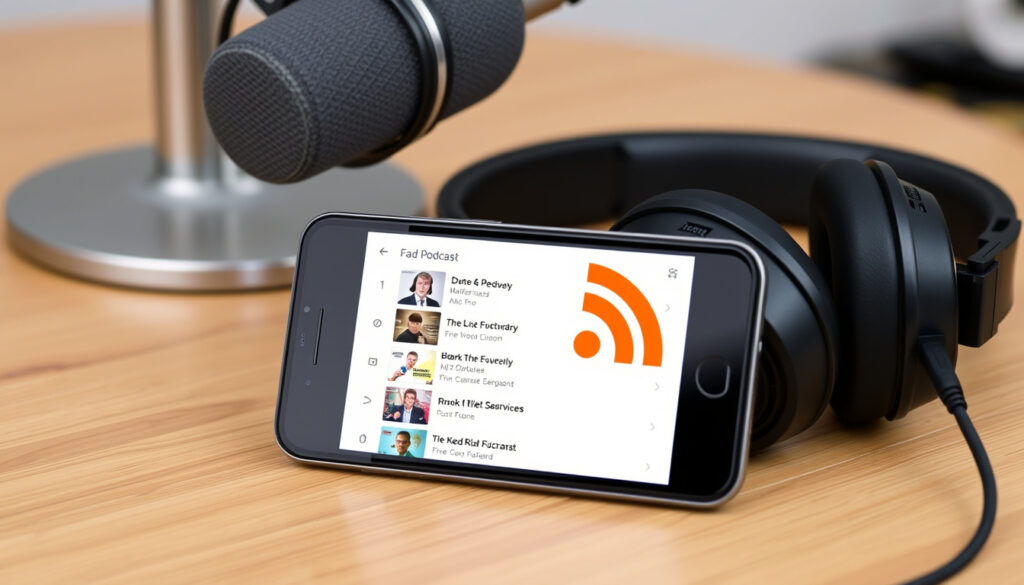
What Is a Podcast RSS Feed? How It Works & Gets Yours
When you hear about a podcast, you rarely think about the XML document called an RSS feed that makes it work behind the scenes. This guide breaks down what a podcast RSS feed is, how it distributes episodes, and how to get one for your own show.
Podcasts worldwide: 2.5 million+ · US weekly podcast listeners: 100 million+ · US podcast ad revenue (2023): $2 billion
Quick snapshot
- RSS is an XML standard for syndicating content — used by every major podcast directory (Apple Podcasts for Creators)
- Hosting platforms like Buzzsprout, Libsyn, and Anchor auto-generate your RSS feed (Buzzsprout Help Center)
- Directories ping the feed URL to check for new episodes (Spotify for Podcasters)
- The exact number of podcasts using RSS versus proprietary platforms is unknown
- How Spotify exclusive deals affect RSS feed usage remains an open question
- The long-term viability of RSS feeds amid platform exclusivity deals is uncertain.
- RSS feeds have been the distribution backbone for over 2.5 million active podcasts (Wistia Learning Center)
- The number of US weekly podcast listeners grew from 75 million (2020) to over 100 million (2024) (Wistia Learning Center)
- More platforms may adopt RSS-like feeds for open distribution instead of walled gardens
- Listeners may demand RSS support to keep access independent of any single app
Three facts, one pattern: podcast RSS feeds are the simplest, most universal way to distribute audio — yet most beginners don’t understand what’s inside the file or why it matters.
| Label | Value |
|---|---|
| Definition | An RSS feed is a file containing metadata and episode links for a podcast. |
| Function | Distributes episodes to directories like Apple Podcasts and Spotify. |
| Example | A podcast’s RSS feed URL is provided by its hosting platform (e.g., Buzzsprout, Libsyn). |
What is a Podcast RSS Feed?
An RSS feed — Really Simple Syndication — is an XML file that acts as a digital delivery slip for your podcast. It contains your show’s title, description, artwork, episode audio URLs, and publication dates. Podcast directories read this file to know what episodes exist and where to find the audio.
The anatomy of an RSS feed file
- RSS stands for Really Simple Syndication — a standard first developed in 1999 (Wikipedia (technology encyclopedia))
- The file uses XML tags:
<channel>for show-level info,<item>for each episode - Directories like Apple Podcasts and Spotify parse this file to display your show (Apple Podcasts for Creators (official directory))
What information does it contain?
- Show title, description, and category
- Podcast artwork (JPEG or PNG in a specific size)
- Episode titles, descriptions, audio file URLs, and duration
- Publication dates — directories use these to order episodes
The RSS feed is not your podcast — it’s the map that tells every app where to find your episodes. Without it, your show exists in isolation.
The implication: the RSS feed is the linchpin of open podcasting. No single company controls the feed; you own the URL and the content inside it.
How Does an RSS Feed Work for Podcasts?
When you publish a new episode, your hosting provider updates the RSS feed file on its server. Podcast directories periodically ping that URL to detect changes. The feed URL stays the same; the content changes as you add episodes.
The RSS protocol and XML structure
- Each episode becomes an
<item>with an<enclosure>tag pointing to the audio file (RSS Advisory Board (protocol specification)) - Tags like
<pubDate>tell directories when to publish - Directories cache the feed and check for updates every few hours
How directories check for new episodes
- Apple Podcasts and Spotify each maintain their own index of RSS feeds
- When you submit your feed URL, the directory adds it to its crawler queue
- Feed caching means changes may take 24–48 hours to appear (Spotify for Podcasters (official support))
The pattern: RSS eliminates the need for a central server — your hosting provider hosts the feed, and directories pull from it independently. This decentralization is why your show can appear on dozens of platforms with one submission.
How Do I Get an RSS Feed for My Podcast?
Getting your own RSS feed requires a podcast hosting platform. These services store your audio files and generate the feed automatically. Here’s the process.
Step 1: Choose a podcast hosting platform
- Popular options include Buzzsprout, Libsyn, Anchor (by Spotify), and Podbean
- Most offer free tiers with limited storage, then paid plans for unlimited episodes
Step 2: Upload your episodes and set metadata
- Fill in your show title, description, artwork, and category
- Upload at least one episode to create the feed
Step 3: Locate your RSS feed URL
- Found in the distribution or settings section of your hosting dashboard (Buzzsprout Help Center (podcast hosting))
- It looks like:
https://feeds.buzzsprout.com/xxxxxx
Step 4: Submit your feed to directories
- Apple Podcasts: log in to Apple Podcasts Connect and paste the feed URL
- Spotify: use Spotify for Podcasters dashboard
- Google Podcasts: submit via Google Podcasts Manager
- Other directories: most accept the same feed URL
Free hosting tiers limit storage and may insert ads into your episodes. Upgrading to a paid plan gives you full control over your feed and monetization options.
What this means: once your feed URL is active, you own a distribution channel that works across all platforms. You only need to update your hosting account — directories will pick up changes automatically.
What is the Difference Between an RSS Feed and a Podcast?
A podcast is the show itself — a series of audio episodes with a specific theme and style. The RSS feed is the delivery mechanism that tells apps where to find those episodes. They are not interchangeable.
A podcast is the show; RSS is the delivery mechanism
- Your podcast has a name, hosts, and content
- The RSS feed is a technical file — listeners never see it
- Multiple podcasts cannot share the same RSS feed URL
- Platforms like YouTube are not RSS-based; they use proprietary APIs (YouTube Help (proprietary platform))
Why not all podcasts are the same as their RSS feeds
- Exclusive shows on Spotify may not have an RSS feed at all
- Some networks use a single feed for multiple shows (against standards)
- Your RSS feed is a snapshot of your podcast — but the podcast is the living show
If a platform doesn’t provide an RSS feed, you don’t truly own your distribution. Your audience is locked inside that platform.
The trade-off: RSS feeds give you freedom but require technical setup. Platform-specific shows are easier for listeners but harder for creators to control.
Is Owning a Podcast Profitable?
Most podcasts earn little to no revenue. Profitability depends on audience size, niche, and monetization strategy. Here’s what the data shows.
Revenue streams: sponsorships, listener support, merchandise
- Sponsorships: brands pay for ad slots within episodes
- Listener support: platforms like Patreon let fans pay monthly
- Merchandise: t-shirts, mugs, or premium content
Factors affecting profitability
- Audience size: podcasts with 10,000 listeners per episode can earn $500–$2,000 per episode from sponsorships (AdvertiseCast (podcast ad marketplace))
- Niche: business, finance, and true crime attract higher CPMs
- Monetization strategy: multiple revenue streams increase chances of profit
- Top earners: Joe Rogan earns millions via exclusive deals with Spotify (Reuters (news agency))
The implication: for most creators, podcasting is a passion project, not a primary income source. If you want to earn serious money, you need consistent audience growth and diversified revenue.
Clarity Check
Confirmed facts
- RSS is a standard XML format used for syndication.
- Podcast directories require RSS feeds to list shows.
- Most podcast hosting platforms auto-generate RSS feeds.
What’s unclear
- The exact number of podcasts using RSS vs. proprietary platforms.
- How platform-specific distribution (e.g., Spotify exclusives) affects RSS feed usage.
What the Experts Say
An RSS feed is a file that contains all of your podcast’s information – titles, descriptions, audio file links, artwork, and more.
Your RSS feed contains your show title, information you’ve added about your show, and episode details. It has everything that is necessary to distribute your podcast.
The decision for any aspiring podcaster is clear: use a hosting platform that provides an RSS feed, submit it to directories, and own your distribution. For creators in the U.S. market, the path to profit starts with building an audience — the RSS feed is simply the tool that makes that audience reachable. Without it, you’re shouting into the void. The History of Sound 2025 reminds us that audio technology has always been about connecting voices to ears — RSS feeds are just the latest pipeline.
reddit.com, community.influxdata.com, github.com, springernature.com, stackoverflow.com, reddit.com, academia.stackexchange.com, youtube.com, forum.confluent.io, youtube.com, mongodb.com, youtube.com
Frequently asked questions
Can I use YouTube as my podcast RSS feed?
No. YouTube is not RSS-based. It uses a proprietary API. To distribute to podcast directories, you need a dedicated RSS feed from a hosting provider.
Do I need a website for my podcast RSS feed?
No. Your hosting platform provides the feed URL. A website is optional but helps with discoverability.
How often does my RSS feed update?
Immediately when you publish a new episode. But directories may take 24–48 hours to reflect the change due to caching.
Can I have multiple RSS feeds for one podcast?
No. Each podcast should have exactly one RSS feed URL. Using multiple feeds confuses directories and may cause duplicate listings.
What happens if I change hosting platforms?
You must redirect your old feed URL to the new one (most hosts support 301 redirects). Otherwise, directories lose access to your episodes.
How do I submit my RSS feed to Apple Podcasts?
Log in to Apple Podcasts Connect, select “Add a Show,” and paste your RSS feed URL. Follow the validation steps.
What is the difference between RSS and Atom?
Both are syndication formats. RSS is more widely used for podcasts. Atom is an alternative with similar features but less adoption in podcasting.
More related posts
 What Time Do the Warriors Play Today? Game Day Schedule Guide
 Stoddard Road Medical Centre: Services, Costs & Walk-In Info
 Leicester City vs Manchester United F.C. Predicted Lineups: Team News and Key Absences
 Farms for Sale Canterbury: Dairy, Horse & Small Farms Guide
 Cave Stream Scenic Reserve Walk: Length, What to Wear & Tips
 Sri Lanka vs New Zealand Match Scorecard: T20I & Test Results
 Tomorrow’s Weather Forecast for Bangkok & Thailand
 Jane Wrightson KiwiSaver Proposals: Roadmap to Retirement Equity
